

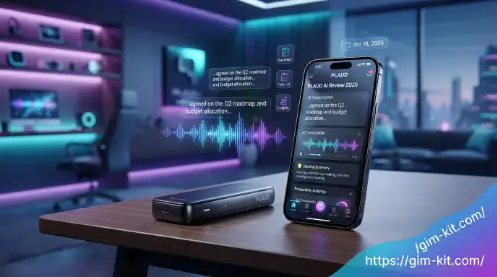
welcome to gim-kit. Artificial intelligence has transformed the way professionals, students, and businesses capture and organize information. Instead of spending hours taking manual notes during meetings, interviews, or lectures, modern AI-powered note-taking tools can automatically record conversations, transcribe speech into text, and generate concise summaries within minutes. Among these innovative solutions, PLAUD AI has quickly become one of the most talked-about devices in the AI productivity space.
In this comprehensive guide, we’ll explore everything you need to know about PLAUD AI, including how it works, its standout features, pricing plans, advantages, limitations, and who can benefit most from using it. Whether you’re considering purchasing your first AI voice recorder or looking for a better alternative to traditional note-taking apps, this guide will help you make an informed decision.
What Is PLAUD AI?
PLAUD AI is an AI-powered voice recording and transcription solution designed to simplify note-taking by automatically converting spoken conversations into organized text. Unlike traditional voice recorders that only capture audio, PLAUD AI combines advanced hardware with artificial intelligence to produce transcripts, summaries, action items, and structured meeting notes.The system is designed for users who regularly attend meetings, conduct interviews, participate in online calls, or attend lectures. Instead of manually writing notes, users simply record conversations using the PLAUD AI device, and the companion application processes the recording into readable, searchable content.
Who Created PLAUD AI?
PLAUD AI is developed by PLAUD, a technology company focused on creating AI-powered productivity solutions. The company’s flagship products combine modern hardware with cloud-based artificial intelligence to streamline information capture and management.
The ecosystem includes:
- AI voice recorder devices
- Mobile applications
- Cloud synchronization
- AI-powered transcription
- Automatic meeting summaries
- Smart templates
- Secure data storage
The company’s goal is simple: eliminate manual note-taking while making conversations easier to organize, search, and share.
How Does PLAUD AI Work?
The workflow is designed to be straightforward:Its combination of sleek hardware, AI-powered transcription, and intelligent summarization has made PLAUD AI a popular choice among professionals seeking to improve productivity and reduce administrative work.
- Record a conversation using the PLAUD AI device.
- Upload the recording to the PLAUD app.
- AI converts speech into text.
- The software identifies speakers.
- AI generates a structured summary.
- Action items and key points are automatically extracted.
- Notes can be exported or shared.
This process significantly reduces the time users spend reviewing lengthy recordings or writing meeting notes manually.
Read also: Dopple AI Review 2026: Features, Pricing, Safety & How It Works
Key Features of PLAUD AI
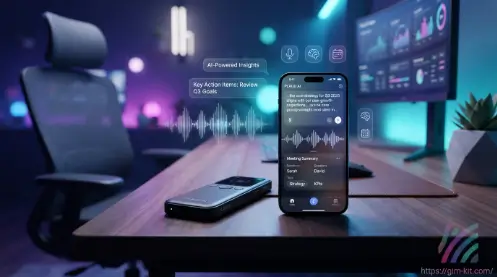
One of the biggest reasons behind the growing popularity of PLAUD AI is its rich feature set. It combines premium recording hardware with advanced AI capabilities to deliver a complete note-taking experience.Its combination of sleek hardware, AI-powered transcription, and intelligent summarization has made PLAUD AI a popular choice among professionals seeking to improve productivity and reduce administrative work.This process significantly reduces the time users spend reviewing lengthy recordings or writing meeting notes manually.
AI Voice Recording
Unlike standard voice recorders, PLAUD AI is specifically designed for capturing high-quality conversations. Its optimized microphones help produce clear recordings, making it easier for the AI to generate accurate transcripts.
Key benefits include:
- High-quality audio capture
- Compact and portable design
- One-touch recording
- Long battery life
- Reliable performance for meetings and interviews
Whether you’re in a conference room or attending a lecture, PLAUD AI aims to preserve audio quality for better transcription results.
AI Transcription
The transcription engine is one of the platform’s strongest features. After a recording is uploaded, PLAUD AI automatically converts spoken words into editable text.This process significantly reduces the time users spend reviewing lengthy recordings or writing meeting notes manually.
Benefits include:
- Fast speech-to-text conversion
- High transcription accuracy
- Editable transcripts
- Searchable text
- Easy export options
This eliminates the need to replay recordings repeatedly while taking notes manually.
Intelligent Meeting Summaries
Rather than presenting users with a lengthy transcript, PLAUD AI analyzes the conversation and generates concise summaries highlighting the most important information.This process significantly reduces the time users spend reviewing lengthy recordings or writing meeting notes manually.
Summaries typically include:
- Main discussion points
- Decisions made
- Key takeaways
- Important conclusions
- Follow-up tasks
This feature is especially useful for busy professionals who need a quick overview of long meetings.
Automatic Action Items
Another standout capability is the automatic extraction of tasks and responsibilities from conversations.This process significantly reduces the time users spend reviewing lengthy recordings or writing meeting notes manually.Instead of manually identifying follow-up actions, PLAUD AI can detect statements such as:
- Schedule a meeting
- Send a proposal
- Complete a report
- Contact a client
- Review a document
This helps teams stay organized and ensures important tasks are not overlooked.
Speaker Identification
Meetings often involve multiple participants, making transcripts difficult to follow. PLAUD AI addresses this by attempting to distinguish between different speakers and labeling their contributions accordingly.This process significantly reduces the time users spend reviewing lengthy recordings or writing meeting notes manually.
Advantages include:
- Easier conversation tracking
- Better meeting documentation
- Improved readability
- Faster review of discussions
Speaker recognition is particularly valuable during interviews, brainstorming sessions, and team meetings.
Multi-Language Support
Global teams frequently communicate in different languages. This process significantly reduces the time users spend reviewing lengthy recordings or writing meeting notes manually. PLAUD AI supports multiple languages, enabling users to transcribe conversations across diverse regions and industries.
Common use cases include:
- International business meetings
- Academic lectures
- Multilingual interviews
- Cross-border collaboration
Language support continues to expand as the platform evolves.
How PLAUD AI Works
Using PLAUD AI is simple and user-friendly, even for beginners with no technical experience. The entire process is designed to streamline your workflow, allowing you to move effortlessly from recording conversations to receiving accurate transcripts, AI-generated summaries, and organized notes in just a few steps. Whether you’re documenting meetings, lectures, interviews, or personal ideas, PLAUD AI makes capturing and managing information fast and efficient.
Step 1 – Record Your Conversation
To get started, simply press the record button on your PLAUD AI device before your meeting, lecture, interview, or conversation begins. The device instantly starts capturing high-quality audio, ensuring that every important detail is recorded clearly. Its compact and lightweight design makes it easy to carry in your pocket or attach to your phone, allowing you to record naturally without interrupting the flow of the conversation.
Once the recording is complete, the audio can be synced with the PLAUD AI app for processing. The AI analyzes the recording, converts speech into accurate text, identifies different speakers, and generates organized summaries and action items. This streamlined process saves time, reduces manual note-taking, and makes it easy to review or share important information whenever needed.
Step 2 – Sync with the PLAUD App
After you’ve finished recording, connect your PLAUD AI device to the PLAUD mobile app using the supported connection method. The app automatically detects the recorded audio and securely uploads it to the cloud for AI processing. The upload process is quick and designed to protect your data, ensuring your recordings remain private while they are being analyzed.
Once the audio is uploaded, PLAUD AI begins processing the file using advanced speech recognition and natural language processing technologies. Within a short time, the app generates a complete transcript, identifies different speakers when possible, and creates an organized summary with key points and action items. This seamless integration allows you to access your notes from your smartphone and continue working without the need for manual transcription.
Step 3 – AI Processing
The platform analyzes the uploaded audio using advanced artificial intelligence to:To get started, simply press the record button on your PLAUD AI device before your meeting, lecture, interview, or conversation begins. The device instantly starts capturing high-quality audio, ensuring that every important detail is recorded clearly. Its compact and lightweight design makes it easy to carry in your pocket or attach to your phone, allowing you to record naturally without interrupting the flow of the conversation.
- Convert speech into text
- Separate speakers
- Detect key topics
- Generate summaries
- Identify action items
This automated process saves significant time compared to manual note-taking.
Step 4 – Review and Edit
Once processing is complete, users can:To get started, simply press the record button on your PLAUD AI device before your meeting, lecture, interview, or conversation begins. The device instantly starts capturing high-quality audio, ensuring that every important detail is recorded clearly. Its compact and lightweight design makes it easy to carry in your pocket or attach to your phone, allowing you to record naturally without interrupting the flow of the conversation.
- Read the transcript
- Edit any inaccuracies
- Highlight important sections
- Add personal notes
- Organize recordings into folders
The editable interface makes it easy to refine notes before sharing them.
Step 5 – Export and Share
To get started, simply press the record button on your PLAUD AI device before your meeting, lecture, interview, or conversation begins. The device instantly starts capturing high-quality audio, ensuring that every important detail is recorded clearly. Its compact and lightweight design makes it easy to carry in your pocket or attach to your phone, allowing you to record naturally without interrupting the flow of the conversation.
Common sharing options include:
- Word documents
- Plain text
- Copy and paste into productivity tools
This flexibility allows PLAUD AI to fit seamlessly into existing workflows.
Tips to Get the Best Results with PLAUD AI
Getting the most out of PLAUD AI involves more than simply pressing the record button. Following a few best practices can significantly improve transcription accuracy, produce more detailed summaries, and make your recordings easier to organize and review. Whether you’re recording business meetings, lectures, interviews, or brainstorming sessions, these tips will help you maximize the value of the platform.Audio quality has a direct impact on transcription accuracy. Whenever possible, record in a quiet location with minimal background noise. If you’re in a meeting room, place the PLAUD AI device near the center of the table so it can capture every speaker clearly.
Record in a Quiet Environment
The quality of your recording plays a crucial role in how accurately PLAUD AI can transcribe and summarize conversations. For the best results, try to record in a quiet environment with as little background noise as possible. Clear audio allows the AI to recognize words, distinguish between speakers, and generate more reliable transcripts and meeting summaries.
If you’re recording a meeting, place the PLAUD AI device in a central position where it can clearly capture everyone’s voice. Avoid noisy settings, people talking over one another, or loud music, as these can affect transcription accuracy. Taking a few moments to choose the right recording environment can significantly improve the quality of your AI-generated notes and reduce the need for manual corrections later.
Speak Clearly and Naturally
Speaking clearly and at a natural pace can greatly improve the accuracy of PLAUD AI transcriptions. While the AI is capable of recognizing different speech patterns and accents, clear pronunciation helps it identify words, separate speakers, and capture important discussion points more effectively. During meetings or interviews, encourage participants to speak one at a time rather than talking over each other, as overlapping conversations can make transcription less accurate.
It’s also helpful to maintain a steady speaking pace instead of talking too quickly or mumbling. This allows PLAUD AI to process the audio more accurately and generate cleaner transcripts, well-structured summaries, and precise action items. By following these simple communication practices, you can minimize transcription errors and ensure your meeting notes are as accurate and useful as possible.
Review and Edit Your Transcripts
While PLAUD AI provides highly accurate AI-generated transcriptions, it’s always a good idea to review the final transcript before using or sharing it. Like any AI-powered tool, it may occasionally misinterpret uncommon words, names, technical jargon, or industry-specific terminology. Spending a few minutes checking the transcript can help you identify and correct these minor inaccuracies, ensuring the information is complete and reliable.
Editing your transcript also allows you to improve formatting, clarify important points, and highlight key takeaways or action items. These small adjustments make your notes more professional, easier to understand, and ready to share with colleagues, clients, or team members. Taking this extra step helps ensure your documentation is accurate and reflects the original conversation as closely as possible.
Organize Notes with Folders and Tags
As you continue using PLAUD AI, your collection of recordings, transcripts, and meeting summaries will naturally grow. To keep everything organized, create folders based on projects, clients, departments, courses, or personal topics. You can also use descriptive file names and tags to categorize your recordings, making it much easier to search for and retrieve important information whenever you need it.
A well-organized workspace not only saves time but also improves your overall productivity. Instead of scrolling through dozens of recordings, you can quickly locate specific meetings, interviews, or lecture notes within seconds. Developing a consistent filing system from the beginning ensures that your PLAUD AI library remains easy to manage, even as the number of recordings continues to increase.
Export and Share Key Insights
After reviewing and finalizing your transcript and AI-generated summary, PLAUD AI allows you to export your notes in various formats, making them easy to save, print, or share with others. Whether you’re collaborating with colleagues, sending meeting notes to clients, or distributing lecture summaries to classmates, exporting your files ensures everyone has quick access to the same information.
Sharing organized transcripts and summaries helps improve communication, keeps everyone aligned on key discussion points, and reduces the need for lengthy follow-up emails or repeated meetings. By using PLAUD AI to distribute accurate and well-structured notes, teams can collaborate more efficiently, track action items with confidence, and stay focused on completing their tasks.
Common Mistakes to Avoid
Although PLAUD AI is designed to be intuitive and easy to use, certain mistakes can affect the quality of your recordings, transcriptions, and AI-generated summaries. By understanding these common issues and following a few best practices, you can improve transcription accuracy, save time, and get the most value from your device. Below are some of the most common mistakes users make and how to avoid them. Excessive background noise can make it difficult for the AI to distinguish voices accurately. Whenever possible, choose a quiet location for important recordings.
Recording in Noisy Environments
One of the most common mistakes when using PLAUD AI is recording in environments with excessive background noise. Sounds such as traffic, conversations from nearby people, office chatter, or loud music can interfere with the AI’s ability to accurately recognize speech and distinguish between different speakers. As a result, your transcripts may contain errors or miss important parts of the conversation.
To achieve the best transcription results, choose a quiet location whenever possible and minimize background distractions before starting your recording. If you’re in a meeting, place the PLAUD AI device close to the speakers so it can capture clear audio. Taking these simple precautions will improve transcription accuracy, generate more reliable summaries, and reduce the time needed for manual corrections.
Placing the Device Too Far Away
The placement of your PLAUD AI device has a significant impact on the quality of your recordings and the accuracy of AI-generated transcripts. If the recorder is positioned too far away from the speakers, voices may become faint, distorted, or difficult to distinguish, making it harder for the AI to accurately transcribe conversations and identify different participants.
For the best results, place the PLAUD AI device in a central location where it can clearly capture everyone’s voice. During meetings, positioning it in the middle of the table helps ensure balanced audio from all participants. Proper device placement not only improves transcription accuracy but also results in clearer summaries, better speaker recognition, and more reliable meeting notes.
Forgetting to Charge the Device
Running out of battery during an important meeting, interview, or lecture can interrupt your recording and cause you to lose valuable information. An incomplete audio file may prevent PLAUD AI from generating a complete transcript, summary, or list of action items, reducing the overall usefulness of your notes.
To avoid this issue, always check the battery level before starting long recording sessions and make sure your PLAUD AI device is fully charged when needed. Developing a simple charging routine ensures that your device is ready whenever an important conversation takes place and helps you capture every detail without interruptions.
Skipping Transcript Review
Although PLAUD AI provides highly accurate AI-powered transcription, it is important to review your transcripts before using or sharing them. Artificial intelligence can occasionally make small mistakes, especially with names, numbers, technical terms, industry-specific vocabulary, or words affected by unclear audio quality.
Taking a few minutes to check and edit your transcript ensures that all important details are correct and professionally presented. Reviewing your notes also gives you the opportunity to highlight key points, verify action items, and make sure your final document accurately represents the original conversation. This simple step helps you get the most reliable results from PLAUD AI and ensures your summaries are ready for colleagues, clients, or future reference.
Ignoring Privacy Requirements
Before using PLAUD AI to record any conversation, it is important to obtain proper permission from all participants and follow applicable privacy and recording regulations in your location. Recording laws can vary between regions, and failing to follow them may create legal or trust issues, especially when dealing with private meetings, client discussions, or sensitive information.
Responsible use of PLAUD AI helps protect confidential conversations and ensures that everyone involved understands how their information is being recorded and used. By respecting privacy, gaining consent, and handling recordings securely, you can build trust with colleagues, clients, and other participants while making the most of AI-powered note-taking technology.
Frequently Asked Questions
What is PLAUD AI?
PLAUD AI is an AI-powered voice recording and transcription solution that records conversations, converts speech into text, generates summaries, identifies speakers, and extracts action items. It helps users save time by automating the note-taking process.
Is PLAUD AI free to use?
Yes, PLAUD AI offers a free plan with basic features. However, advanced capabilities such as higher transcription limits, premium AI summaries, and additional productivity tools are available through paid subscription plans.
Does PLAUD AI work offline?
The device can record audio offline, but AI-powered features such as transcription, summaries, and speaker identification generally require an internet connection for cloud-based processing.
Which languages does PLAUD AI support?
PLAUD AI supports multiple languages, making it suitable for international teams, students, researchers, and professionals working across different regions. Language availability may vary depending on updates and subscription plans.
Is PLAUD AI better than Otter AI?
Both tools are excellent, but they serve slightly different audiences. PLAUD AI offers a dedicated hardware recorder along with AI transcription and summaries, making it ideal for recording in-person conversations. Otter AI is primarily software-based and is especially popular for online meetings and collaboration. The better choice depends on your specific workflow and recording needs.
Conclusion
PLAUD AI has established itself as a powerful AI-powered note-taking solution that combines dedicated recording hardware with advanced transcription and summarization technology. Its ability to capture conversations, generate accurate transcripts, identify speakers, and create actionable summaries makes it a valuable tool for professionals, students, journalists, sales teams, and anyone who regularly works with spoken information.
While premium features require a subscription, the time saved through automated documentation and improved organization can make the investment worthwhile for frequent users. By understanding its features, pricing, strengths, and limitations, you can determine whether PLAUD AI is the right fit for your personal or professional workflow. If you’re looking for a smarter way to record, organize, and review conversations, PLAUD AI is certainly a solution worth considering.
