

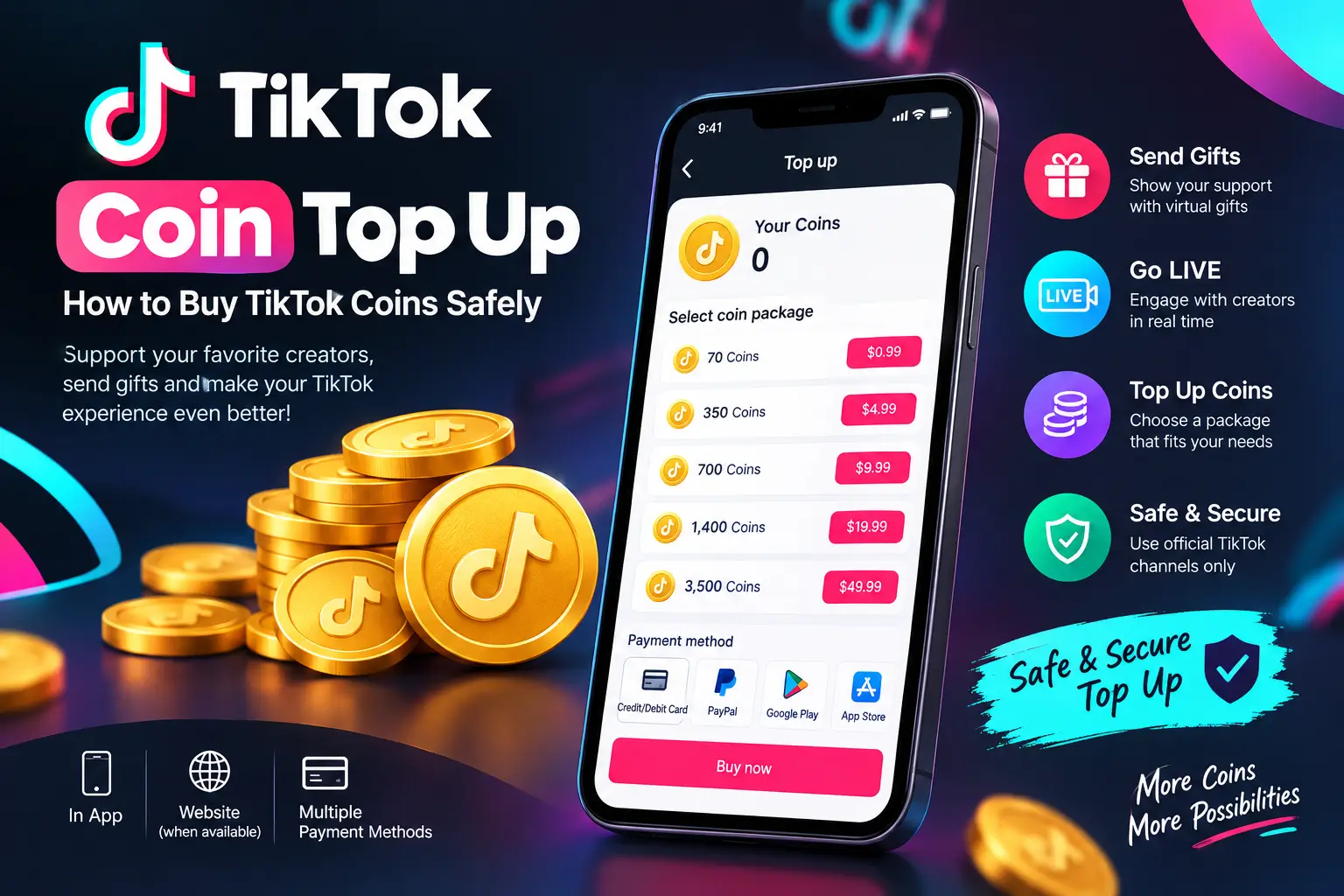
If you use TikTok regularly, you may have seen creators receiving virtual gifts during LIVE streams or on eligible videos. These gifts are connected to TikTok Coins, a virtual item that users can purchase with real money.
A TikTok Coin Top Up lets you add Coins to your TikTok balance so you can use them for supported features such as sending Gifts to creators. TikTok currently allows Coins to be purchased through the TikTok platform or, depending on the country and device, through supported app stores or TikTok’s website.
The exact price of Coins is not the same everywhere. TikTok explains that the cost can vary depending on the number of Coins purchased and where the purchase is made.
This guide explains how TikTok Coin Top Up works, how to purchase Coins, what they are used for, how pricing works, and how to avoid common payment and security problems.
What Is TikTok Coin Top Up?
TikTok Coin Top Up means purchasing TikTok Coins and adding them to your account balance.
Coins are virtual items used within TikTok. One of their main uses is sending virtual Gifts to creators during eligible TikTok LIVE streams or on eligible videos. TikTok’s own support information states that users need to purchase Coins before sending a Gift.
Coins are not the same thing as cash. They are virtual items intended for use within TikTok’s supported features, and their availability and use can depend on your location and account.
What Are TikTok Coins?
TikTok Coins are virtual items that users can purchase with real money. After purchasing Coins, you can use your available balance for supported TikTok features.
For example, if you are watching a creator’s LIVE and want to show appreciation, you may be able to use Coins to send a virtual Gift.
TikTok’s Virtual Items Policy also explains that users must meet applicable account and age requirements to purchase and use Coins.
What Can You Do With TikTok Coins?
The most familiar use of TikTok Coins is purchasing virtual Gifts.
Depending on the feature and your location, Coins may be used for supported TikTok interactions. TikTok explains that Gifts can be sent during eligible LIVE sessions and to eligible videos.
Before purchasing Coins, it is therefore useful to understand exactly what you want to use them for.
How Does TikTok Coin Top Up Work?
The basic process is straightforward:
- Open TikTok and sign in to your account.
- Go to the area where your Coin balance is displayed.
- Choose the option to purchase or recharge Coins.
- Select an available Coin package.
- Review the price shown for your account and location.
- Complete the payment using an available payment method.
- Check your Coin balance after the transaction.
The exact buttons and menus can change as TikTok updates its app and website, so your screen may look slightly different from another user’s.
TikTok also states that Coins can be purchased through the app and, where available, directly through TikTok’s website.
How to Do a TikTok Coin Top Up
There are two common ways users may purchase Coins: through the TikTok app or through TikTok’s website where web purchases are available.
TikTok Coin Top Up Through the App
To purchase Coins through the TikTok app:
- Open the official TikTok application.
- Sign in to your account.
- Open your profile and access the relevant balance or Coin section.
- Select the option to recharge or purchase Coins.
- Choose the Coin package you want.
- Review the displayed price.
- Complete the purchase through the supported payment system.
If you are using an iPhone, Android phone, or another supported device, the available payment process can differ because app-store purchases may be handled by the relevant store.
TikTok’s Virtual Items Policy notes that in-app Coin purchases can be handled through third-party app stores such as Apple’s App Store, Google Play Store, or Amazon’s Appstore, depending on the situation.
TikTok Coin Top Up Through the Website
In countries where web Coin purchases are available, TikTok also allows users to purchase Coins through its website.
The web option can be useful for users who prefer purchasing outside the mobile application. However, availability depends on the user’s country.
Always check that you are using an official TikTok page before entering payment information.
TikTok Coin Top Up Prices
One of the most common questions is how much TikTok Coins cost.
There is no single worldwide price that applies to every user. TikTok states that the cost per Coin can differ depending on how many Coins are purchased and where they are purchased.
This means a price you see online may not necessarily be the same price shown on your TikTok account.
Why Can TikTok Coin Prices Be Different?
Several factors can affect the final amount you see before payment, including:
- Your country or region
- The number of Coins you purchase
- Whether you purchase through the app or website
- Applicable taxes or charges
- The payment platform being used
- Local pricing policies
For this reason, the safest way to know the current price is to check the amount displayed by TikTok immediately before completing your purchase.
Should You Trust TikTok Coin Price Lists Online?
Be careful with old price lists.
A blog post, social media post, or video may show prices that were correct at the time it was published but are no longer accurate.
If you are comparing prices, use the current amount displayed by TikTok as your final reference.
TikTok Coin Top Up Payment Methods
The payment methods available during a Coin purchase can vary by country, platform, and account.
Depending on your situation, you may see supported card, app-store, or other payment options.
TikTok’s Virtual Items Policy explains that app-based purchases can be processed through supported app stores, while direct website purchases may be available in certain countries.
Before confirming a purchase, check:
- Total amount
- Currency
- Coin quantity
- Payment method
- Any applicable fees or taxes
Never give your TikTok password or payment information to an unknown person who claims they can add Coins to your account.
Is TikTok Coin Top Up Safe?
A TikTok Coin Top Up can be safe when you use legitimate TikTok purchasing channels and follow normal account-security practices.
The biggest risk usually comes from websites or individuals promising unusually cheap Coins, free Coins, or unlimited Coin generators.
Use Official TikTok Channels
When purchasing Coins, start with TikTok’s official app or an official TikTok purchasing page available for your region.
Avoid entering your TikTok login details into an unfamiliar website just because it promises a cheaper Coin package.
Avoid Free TikTok Coin Generators
Search results and social media can contain pages claiming to provide:
- Free TikTok Coins
- Unlimited Coins
- Free Coin generators
- Cheap Coins without payment
- Instant Coin hacks
These offers should be treated with caution.
A website asking for your TikTok password, verification code, or other account information in exchange for “free Coins” can put your account at risk.
Protect Your TikTok Account
Good security habits include:
- Use a strong, unique password.
- Do not share verification codes.
- Avoid suspicious links.
- Do not give your account password to a Coin seller.
- Review payment details before confirming a purchase.
- Use official TikTok channels whenever possible.
Common TikTok Coin Top Up Problems
Sometimes a Coin purchase does not appear to work as expected. The problem may be related to payment processing, the app store, account restrictions, or a temporary technical issue.
Here are some common situations.
Coins Did Not Appear After Payment
If you were charged but your Coin balance has not updated:
- Check whether the payment was actually completed.
- Check your transaction or purchase history.
- Close and reopen TikTok.
- Make sure you are signed into the correct account.
- Keep your payment confirmation.
- Contact the appropriate TikTok or app-store support channel if the issue continues.
Do not immediately make the same purchase again if you are unsure whether the first transaction succeeded. You could accidentally make another charge.
Payment Was Declined
A failed payment can happen for several reasons.
For example:
- Your card may have been declined.
- Your bank may have blocked the transaction.
- Your payment information may be incorrect.
- The payment method may not be supported in your region.
- There may be a temporary payment problem.
Check the payment information and try an available supported method. If the problem is related to an app-store purchase, the relevant store’s payment support may also be involved.
TikTok Coins Are Not Available in My Region
TikTok’s Coin availability and purchasing options can differ by location.
TikTok’s policy specifically notes that website purchases and certain other purchase methods are available only in countries where those options are supported.
If you do not see a Coin purchase option, check whether the feature is supported for your account and region rather than using an unofficial third-party service.
How to Check Your TikTok Coin Balance
Your Coin balance can generally be viewed from TikTok’s balance-related section.
A simple process is:
- Open TikTok.
- Go to your profile.
- Open the account menu.
- Find the balance or Coins section.
- Check the current Coin balance.
TikTok can change its interface, so the exact menu names may differ between app versions.
If you recently completed a purchase, give the transaction time to process and verify that you are checking the same TikTok account used for the purchase.
TikTok Coins vs. TikTok Gifts
TikTok Coins and TikTok Gifts are related, but they are not the same thing.
| TikTok Coins | TikTok Gifts |
|---|---|
| Virtual items purchased by users | Virtual items sent to eligible creators |
| Added to a user’s Coin balance | Used as an interaction/support feature |
| Purchased with real money | Purchased using available Coins |
| Used within supported TikTok features | Can be sent during eligible LIVE sessions or videos |
TikTok explains that users need Coins to send Gifts, and the Coin value of a Gift is shown when the Gift is used.
Tips for a Better TikTok Coin Top Up
Before purchasing Coins, keep these simple tips in mind.
1. Check the Current Price
Do not rely on an old screenshot or outdated price list. Check the amount shown by TikTok at the time of purchase.
2. Use an Official Purchase Method
Use the official TikTok app or an official TikTok web purchasing option when it is available in your region.
3. Check the Account
Make sure you are logged into the TikTok account that you actually want to receive the Coins.
4. Review the Transaction
Before clicking the final payment button, check the Coin amount and total cost.
5. Keep Your Receipt
Save your transaction confirmation if there is a problem later.
6. Avoid Suspicious Discounts
A very large discount can be a warning sign when it comes from an unknown seller.
7. Never Share Your Password
A legitimate Coin purchase should not require you to give your TikTok password to another person.
Frequently Asked Questions About TikTok Coin Top Up
What is TikTok Coin Top Up?
TikTok Coin Top Up is the process of purchasing TikTok Coins and adding them to your account balance. Coins can be used for supported TikTok features, including sending eligible virtual Gifts to creators.
How do I buy TikTok Coins?
You can purchase Coins through the TikTok app and, where available in your country, through TikTok’s website. The exact purchasing options depend on your location and platform.
How much does a TikTok Coin Top Up cost?
The price depends on the number of Coins purchased and where the purchase is made. TikTok states that the cost per Coin can vary, so you should check the current price displayed before payment.
Can I buy TikTok Coins from a website?
Yes, TikTok says Coins can be purchased directly through its website in countries where the web purchase option is available.
Why did my TikTok Coins not appear?
A transaction may take time to process, or there may be an issue with the payment or account. First verify the payment and make sure you are checking the correct TikTok account. If the issue continues, use the relevant TikTok or app-store support channel.
Are TikTok Coin generators real?
You should avoid websites claiming to generate unlimited or free TikTok Coins. Do not provide your TikTok password or verification codes to such services.
Can I send TikTok Coins directly to another user?
Coins are primarily used within TikTok’s supported virtual-item features. For example, users can use Coins to send eligible Gifts rather than treating Coins like ordinary transferable cash.
Do TikTok Coin prices vary by country?
Yes. TikTok states that Coin costs can vary depending on where and how the Coins are purchased.
Is TikTok Coin Top Up safe?
Using official TikTok purchasing channels is the safest approach. Avoid unofficial websites that request your login credentials or promise unrealistic Coin deals.
Final Thoughts
A TikTok Coin Top Up is a simple way to purchase TikTok Coins for supported features such as sending virtual Gifts. However, the purchase price and available payment methods can vary depending on your country, platform, and Coin package.
The best approach is to check the current price directly through TikTok, review the transaction before paying, and keep your account information private. If a website promises free or extremely cheap Coins in exchange for your password or verification code, it is better to avoid it.
For users who regularly watch LIVE streams or want to support eligible creators, understanding how Coins, Gifts, pricing, and payments work can make the process much easier and safer.
